How to search across Gmail, Slack, and GitHub at once
Search Gmail, Slack and GitHub from your Mac with Noet. Follow a project-decision workflow, verify the original sources and handle incomplete results.
The Noet product teamUpdated
A project question often has evidence in several places: an email sets the goal, Slack records a decision and GitHub contains the implementation. Noet lets you ask about connected work from your Mac with ⌥Space, then inspect the original sources behind the response.
The walkthrough below uses an illustrative onboarding project. It is a request you can adapt to your own work, not a recorded customer result or a promise that every account will contain the same information.
1. Connect the accounts that hold the evidence
Start by connecting only the accounts and repositories you need. Gmail, Slack and GitHub each have a product page explaining the available retrieval workflows, plus a separate connection guide. Review the requested access before approving it.
Check that you connected the correct Gmail account, Slack workspace and GitHub account. A GitHub organisation or Slack administrator may require additional approval. Connecting an account does not bypass its permissions or make inaccessible history available.
2. Ask one specific project question
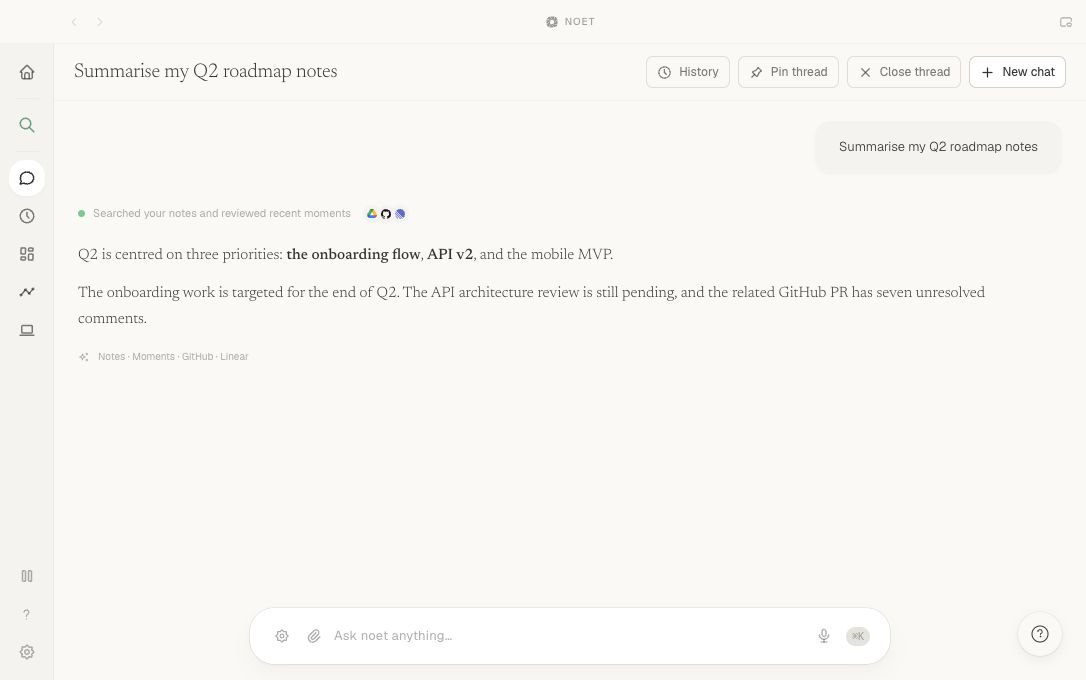
Open Noet with ⌥Space and ask: "Find the onboarding launch deadline discussed since Monday. Check Priya's Gmail thread, #engineering in Slack and the onboarding pull request in GitHub. Separate confirmed decisions from open questions and show the source records."
The useful details are the project, person, channel, timeframe and desired output. Replace them with the terms your team actually uses. If you know the issue number or exact subject, include it. A vague request such as "What is happening at work?" makes it harder to recognise missing or unrelated evidence.
3. Check the answer against each original source
In Gmail, check the sender, subject, date and account before opening the linked thread. Read later replies as well as the snippet: an early proposed date may have been superseded.
In Slack, check the channel, author, timestamp and surrounding thread. Distinguish a question about moving a deadline from an explicit decision to move it. Slack retrieval is bounded and subject to retention and account permissions, so an absent message is not proof that a discussion never happened.
In GitHub, open the issue or pull request and inspect its current status, comments and review activity. A closed issue or merged PR is different evidence from a message predicting that work will be finished.
If these sources conflict, ask Noet to describe the disagreement with dates and sources. Do not turn an unresolved difference into a confident launch commitment.
4. Narrow an incomplete result
Start with one service: "Search Gmail for Priya's onboarding email from this month." Then narrow the Slack request to the named channel and dates, or use a specific GitHub issue identifier. This helps separate a poorly specified question from a missing connection or inaccessible source.
Live retrieval needs provider access and a network connection. A provider failure is different from finding no matching records. Cached context can be stale, and a partial result may omit a relevant account or conversation. Resolve reported connection problems and compare with the original service when completeness matters.
5. Prepare a follow-up without sending it
Once you have verified the sources, ask: "Draft a short reply to Priya summarising the confirmed deadline and the remaining review question. Do not send it." Review the destination, wording and commitments before approving any external write action. Finding context and changing a connected service are separate steps.
Treat a synthesised answer as a starting point. Follow its source links, check the original message or issue and confirm any action before sending or changing external systems. If the answer is incomplete, narrow the timeframe or name the likely service.
Decide whether the workflow helps you
Try this with a recurring question whose answer you already know how to verify. Record how many separate searches it normally takes, whether the retrieved sources are relevant, and what still needs checking. Cross-tool search is useful when it shortens the path to evidence; a simple lookup in one app may already be enough.
Sources and product references
Noet connects your tools into one queryable context layer for macOS.
Download for Mac