Ask Noet
Ask Noet is the conversational layer across your notes, files, Moments, and connected services. Open it from anywhere on your Mac with ⌥Space.
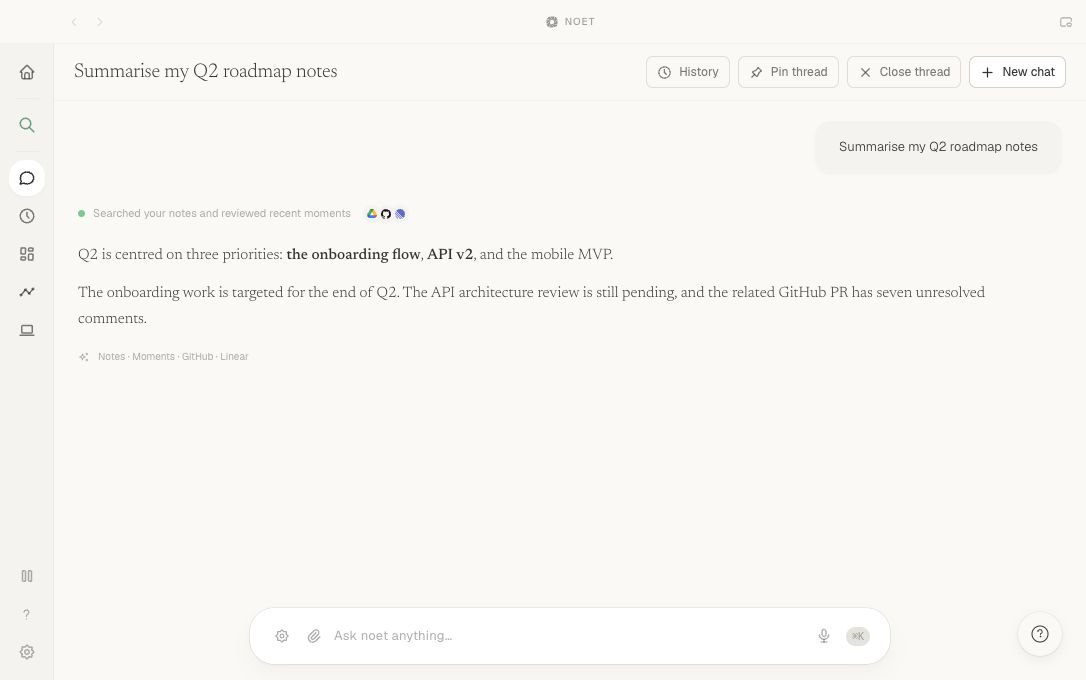
Shape a useful request
A strong request usually includes at least two of these details:
- Subject: a project, customer, person, issue, or decision
- Source: Gmail, Slack, GitHub, Calendar, a local file, or Moments
- Time: today, this week, before a meeting, or a specific date range
- Output: a summary, list of blockers, draft, or proposed action
Summarise the billing launch blockers from Linear and Slack since Monday.
Find the email where Priya approved the new onboarding copy.
Draft a reply to the latest Acme thread, but do not send it.
Answers and sources
Noet combines relevant context into a response and keeps the underlying sources available for inspection. Treat synthesis as a retrieval aid, not a substitute for checking the original material when the stakes are high.
Actions and confirmation
Some requests can produce a draft or propose a change in a connected service. Noet separates the proposal from execution: externally visible or destructive actions require confirmation before the tool runs.
If an action fails, Noet should report the failure rather than presenting it as completed.
Improve an incomplete answer
- Narrow the timeframe.
- Name the likely service.
- Use the exact project or person name.
- Ask for sources rather than a broader summary.
For screen-based recall, see Moments.