Moments
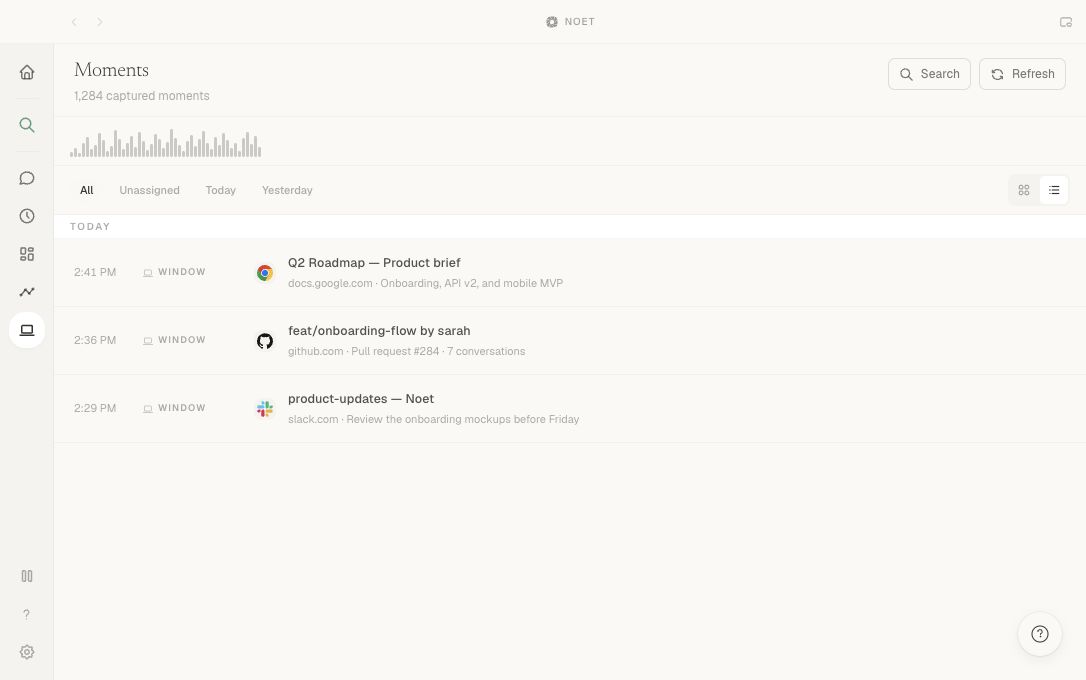
Moments is Noet's optional screen-recall layer. It captures periodic snapshots, extracts searchable text, and gives you a timeline of what was on screen.
Enable capture
Moments requires macOS Screen Recording permission. Noet asks for that permission during setup only if you choose to enable the feature. You can turn Moments on later from Settings.
Screen capture is optional. Noet's notes and connected integrations remain useful without it.
Recall past work
Use natural time language or a detail you remember:
What was I working on yesterday afternoon?
When did I last look at the Figma onboarding flow?
You can also browse and search the Moments timeline directly.
Control what is captured
Moments includes controls to:
- pause capture for a fixed period or until you resume;
- exclude selected applications and window titles;
- choose a retention period;
- delete individual captured moments.
Use exclusions for password managers, private messaging, or any workspace that should never appear in recall.
Data boundary
Captured activity is indexed locally on your Mac. When you ask a question, selected relevant context may be sent to the configured AI provider to generate an answer. See Privacy and security for the wider data path.